At the Customer Service screen for support.feel-electric.com , search for your problem in the search bar, if you cannot find the answer to your query within our FAQ please view the instructions below:
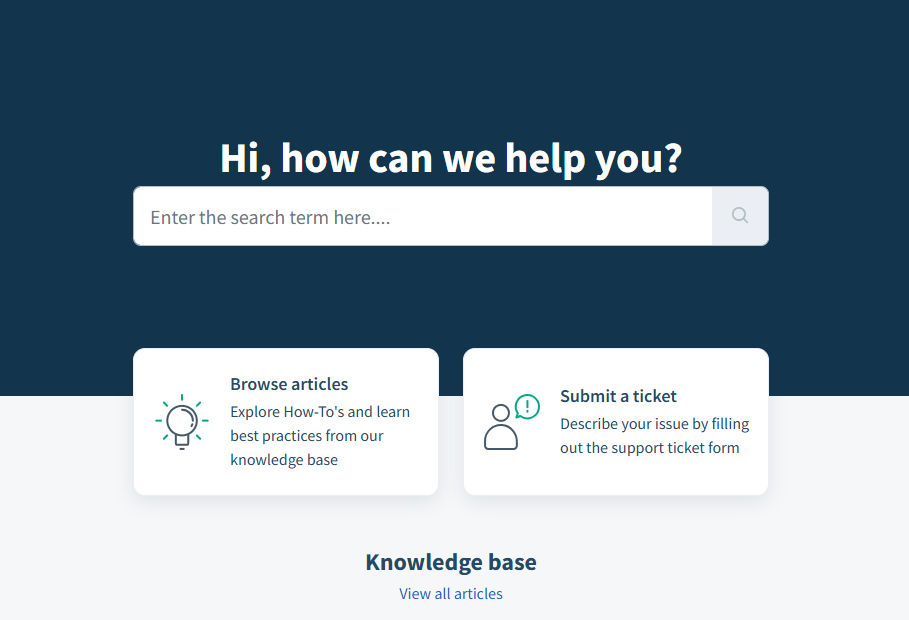
Click to Submit a ticket as can be viewed in the ticket section above on the right.
Select the option that applies to you from the drop bar, in this case we will "ask a question":
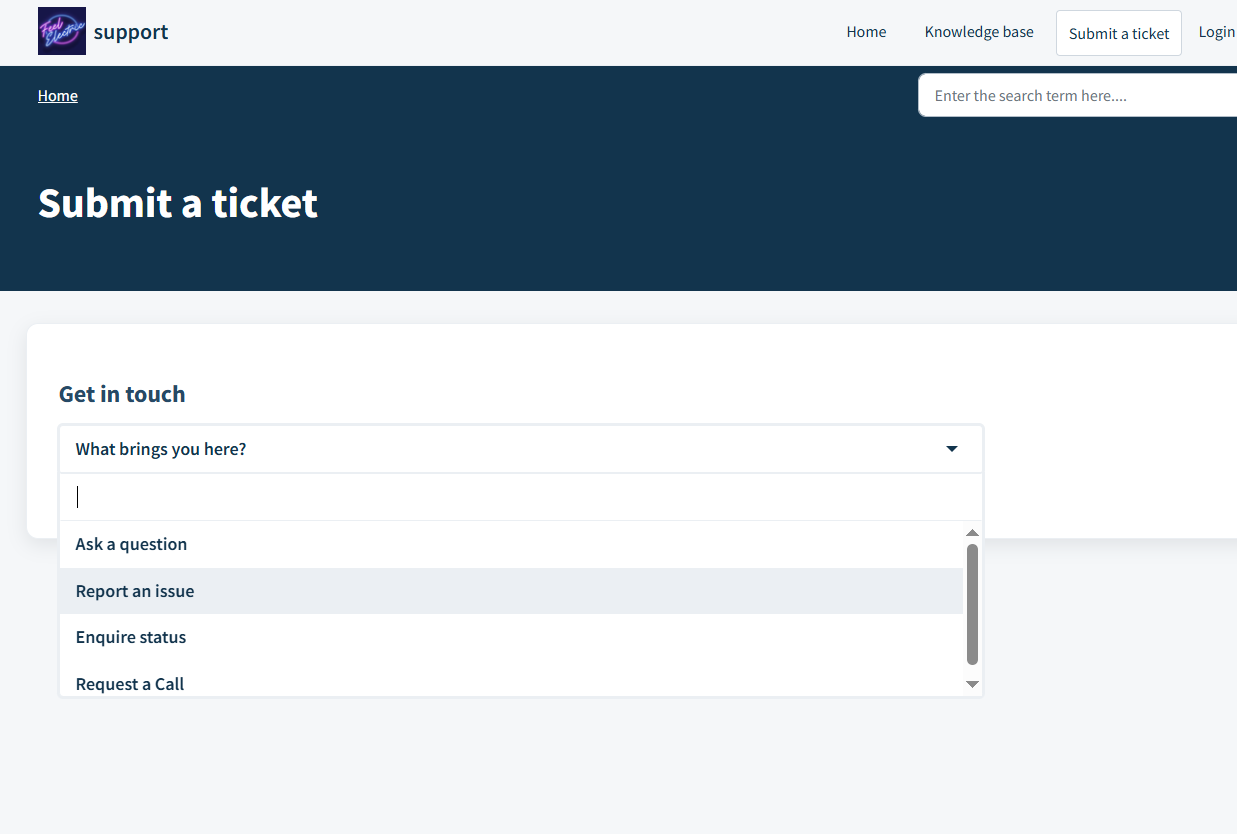
Please be aware that queries which have answers within the FAQ section of our website will be marked as the lowest priority so ensure that you have thoroughly checked all of the FAQ options before you submit your ticket, it can be considerably faster than waiting for an agent to resolve your case.
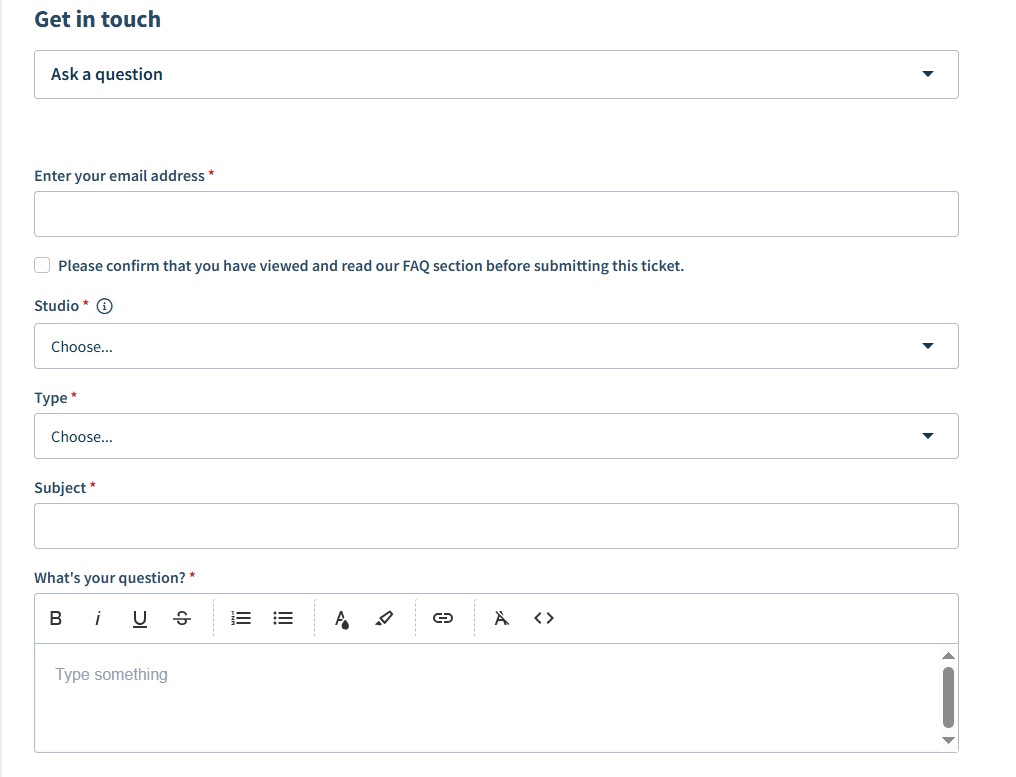
1. Ensure your Email Address matches the one registered to your Feel Electric Customer Account, if it does not we will be unable to action any requests for GDPR data protection reasons.
2. Confirm you have read the FAQs via tickbox, if this is not ticked your will, as mentioned above, be selected for a low-priority resolution.
3. Choose your studio location, if you do not know your studio location from the list you can find out which one you attend on your profile at www.feel-electric.com/my-account or you can view all of our studio locations to find the right one for you at www.feel-electric.com/studios
4. Pick your issue from the ticket "Type" dropdown, select other if your issue does not fall into one of our categories.
5. Write a subject line, ensure the subject line summarises your issue using relevant kewords like "refund" "cancellation" "Pause" "freeze" or other relevant words.
6. Give a DETAILED description of your question or issue. The more detail that is given the faster an agent can resolve it for you - things to include would be:
- Names of people you've spoken to
- Dates of sessions or issues (If you are requesting a PAUSE include a START and END DATE or a pause cannot be placed for you)
- Times
- Other relevant details. Including medical proof if relevant to your request.
7. Include any document attachments if relevant (this could include financial statements, bills, new addresses etc)
Once all of these fields have been filled, submit your ticket by filling out the Captcha and pressing submit
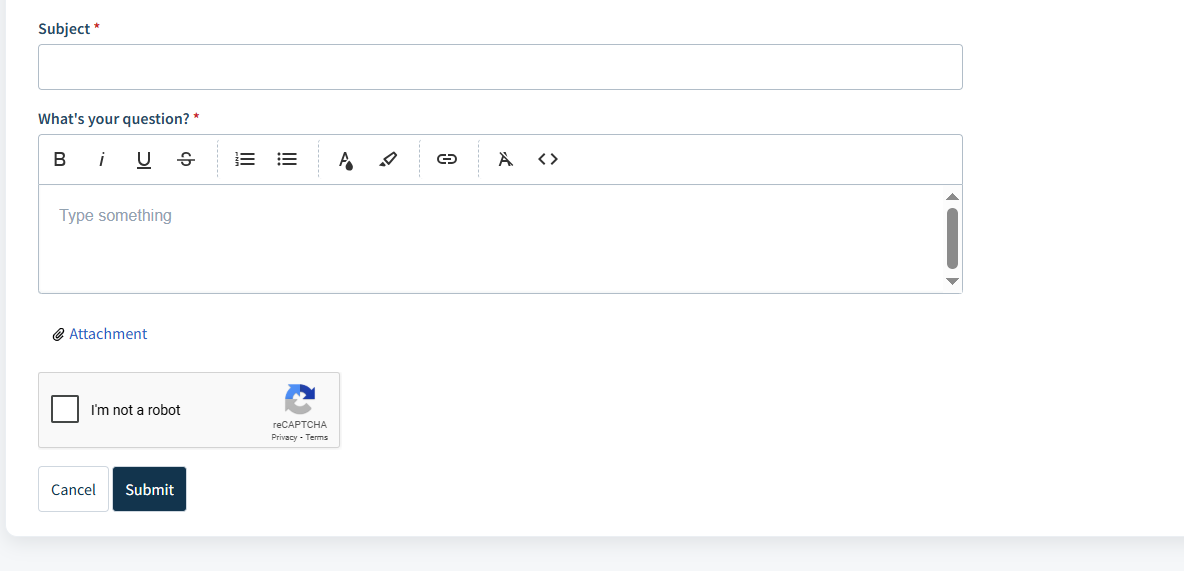
A support agent will endeavor to respond within 24 hours Monday-Friday and resolve your query within 2 working days though busy times and public holidays can affect service times.
Thank you for helping us, to help you!
Was this article helpful?
That’s Great!
Thank you for your feedback
Sorry! We couldn't be helpful
Thank you for your feedback
Feedback sent
We appreciate your effort and will try to fix the article